
14-Digit Reference Number: Find It, Use It, Never Lose It
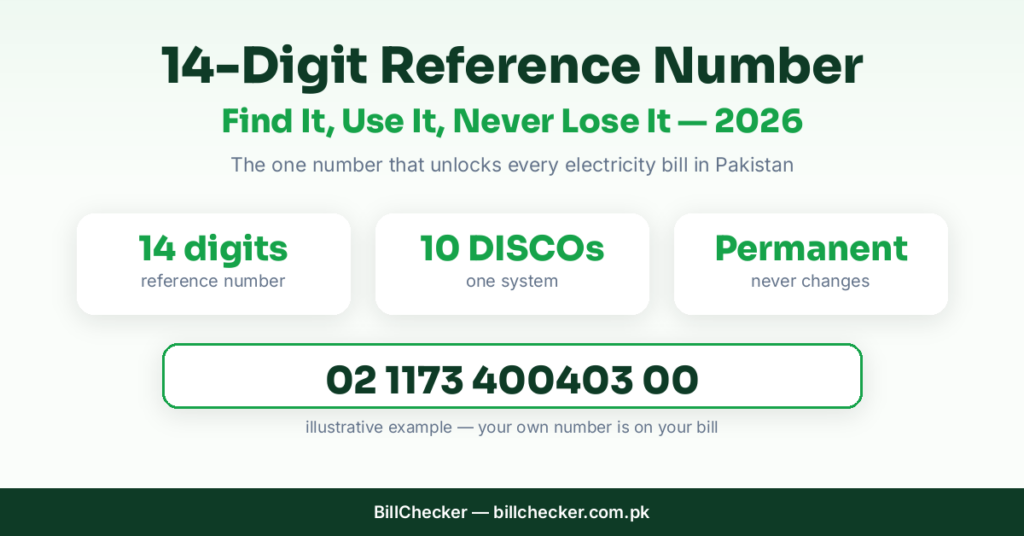
Every electricity bill in Pakistan — LESCO, MEPCO, FESCO, IESCO, and the rest — is keyed to a single number: the 14-digit reference number. It is the username of your electricity connection. Know it, and you can pull your bill online in seconds, pay from your phone, and never wait for the paper bill again. Lose it, and even the helpline will ask you for it first.
This guide covers what the number is, how it differs from the consumer ID and meter number people confuse it with, exactly where to find it, and what to type for each of the 10 DISCOs.
What Is the 14-Digit Reference Number?
The reference number is a permanent 14-digit identifier assigned to your electricity connection. It never changes — not month to month, and not when you move within the same DISCO’s area (a new connection gets a new number, but your existing one stays fixed for the life of the connection).
All WAPDA-linked DISCOs run their billing through PITC (Power Information Technology Company), which is why the same 14-digit format works across LESCO, MEPCO, FESCO, IESCO, GEPCO, PESCO, HESCO, SEPCO, QESCO, and TESCO. Type it into any of these companies’ bill portals — or into our checkers below — and the official system returns your bill.
Reference Number vs Consumer ID vs Meter Number
Three different numbers appear on or around your bill. Only two of them open your bill online:
| Number | Digits | Opens Your Bill Online? | Where It Lives |
|---|---|---|---|
| Reference number | 14 | Yes — primary key | Top of every bill |
| Consumer / Customer ID | 7–10 (varies by DISCO) | Yes — alternate key | Near the reference number |
| Meter number | Varies | No | On the physical meter |
The meter number identifies the hardware on your wall; the billing system doesn’t look bills up by it. If a form asks for a number to fetch your bill, it wants the reference number (or consumer ID) — never the meter number.
What Number Does Your DISCO Use?
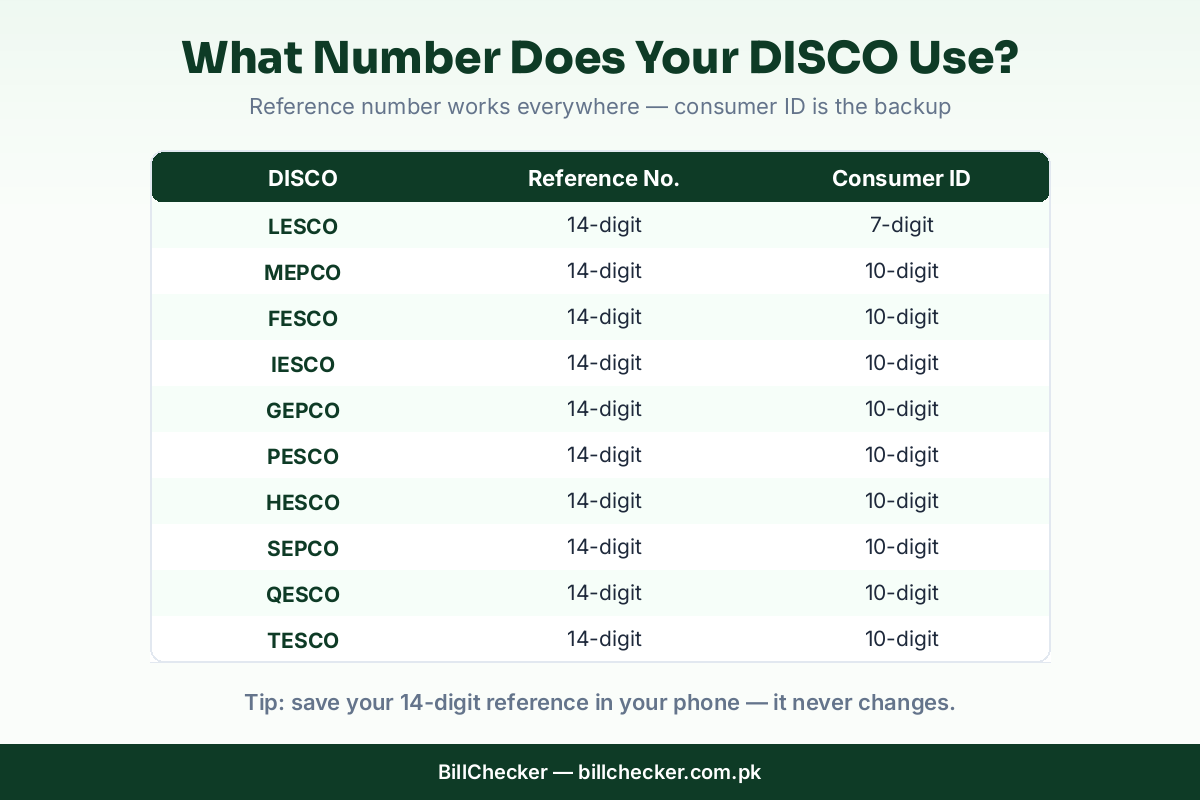
Every DISCO accepts the 14-digit reference number. The alternate consumer ID length varies — LESCO is the outlier with 7 digits:
| DISCO | Reference No. | Consumer ID | Check Your Bill |
|---|---|---|---|
| LESCO | 14 digits | 7 digits | Check LESCO bill |
| MEPCO | 14 digits | 10 digits | Check MEPCO bill |
| FESCO | 14 digits | 10 digits | Check FESCO bill |
| IESCO | 14 digits | 10 digits | Check IESCO bill |
| GEPCO | 14 digits | 10 digits | Check GEPCO bill |
| PESCO | 14 digits | 10 digits | Check PESCO bill |
| HESCO | 14 digits | 10 digits | Check HESCO bill |
| SEPCO | 14 digits | 10 digits | Check SEPCO bill |
| QESCO | 14 digits | 10 digits | Check QESCO bill |
| TESCO | 14 digits | 10 digits | Check TESCO bill |
Where to Find Your Reference Number
- Any old paper bill — top section, labeled “Reference No.” This is the easiest source.
- Bank or app payment receipts — the number is printed on every payment slip.
- SMS bill alerts — many DISCOs include it in the monthly text.
- Previous duplicate bills — any PDF you saved has it at the top.
Got none of these? Call your DISCO’s helpline (118 for every state-owned power company) with your name, address, and CNIC — they can look up the connection and read the number back to you. Save it in your phone’s notes the moment you have it; you’ll use it every month.
How to Use It: Check Your Bill in 30 Seconds
- Open your DISCO’s checker from the table above.
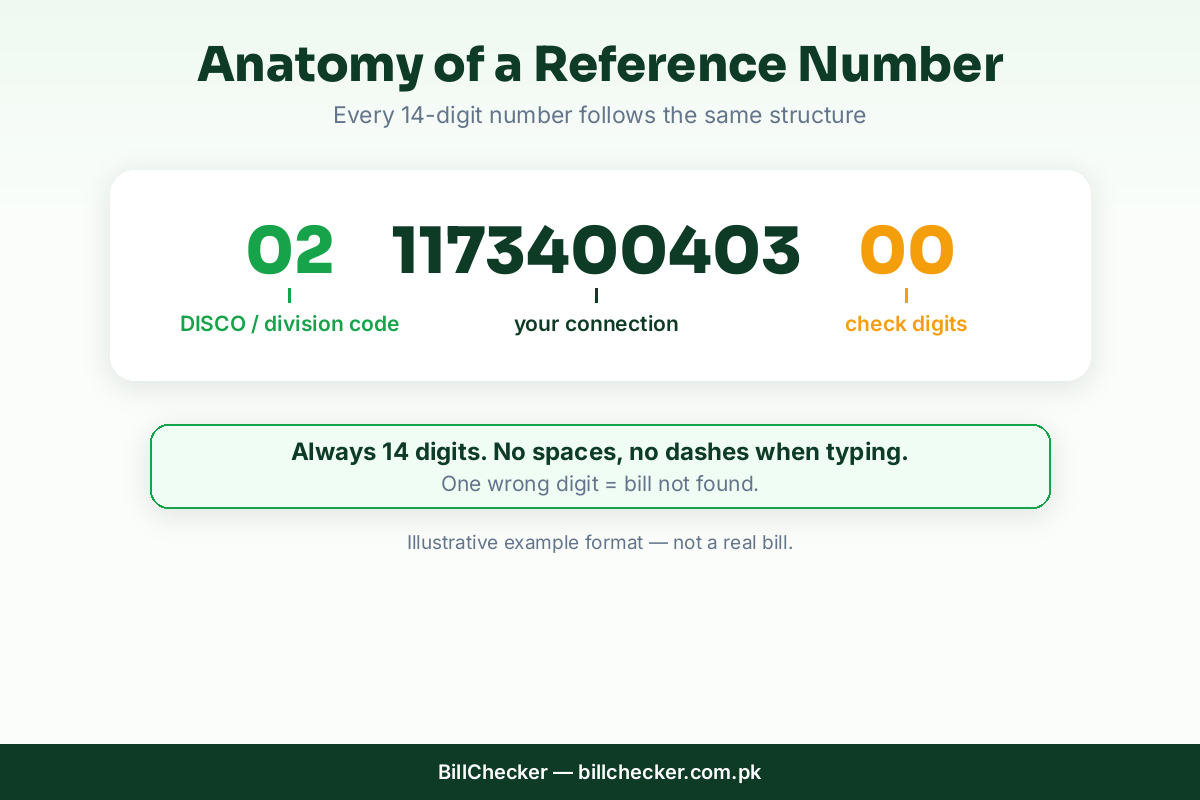
- Type the 14 digits — digits only, no spaces or dashes. This is a common reason lookups fail: people copy “02 1173 400403 00” with the spaces and the form rejects it. Type 02117340040300.
- Submit. Your current bill — amount, due date, units, billing month — appears instantly.
- Print it or save as PDF for a duplicate copy that’s valid for payment anywhere.
Troubleshooting: “Bill Not Found”
- Spaces or dashes in the number — retype as 14 continuous digits.
- Wrong DISCO selected — a LESCO number won’t resolve on the MEPCO checker. Match the company on your bill.
- One digit off — the system does exact matching; a single wrong digit returns nothing. Compare against the paper bill digit by digit.
- Bill not generated yet — the current month’s bill typically appears a few days before the due date. Try again in 2–3 days.
- New connection — brand-new connections can take one billing cycle to appear in the online system.
What About K-Electric (Karachi)?
K-Electric is not part of the WAPDA/PITC system, so the 14-digit reference number doesn’t apply in Karachi. KE uses its own account number, printed at the top of KE bills, and bills are checked on KE’s own website or the KE Live app.
Frequently Asked Questions
Is the reference number the same as the consumer ID?
No. The reference number is always 14 digits and is the primary lookup key. The consumer ID is shorter (7 digits for LESCO, 10 for most others) and works as an alternate key on the same portals.
Does my reference number ever change?
No. It is permanently tied to your connection. A new connection at a new address gets a new number, but your existing number never changes.
Can someone misuse my bill with just the reference number?
The reference number only reveals the bill — it can’t authorize payments or change your account. Still, treat it like any account identifier and don’t post it publicly.
Why does the portal reject my number?
Usually because of spaces, dashes or a wrong digit. Retype 14 continuous digits, confirm the DISCO matches your bill, and try again.
Can I pay my bill with just the reference number?
Yes — JazzCash, Easypaisa, bank apps, and ATMs all accept the 14-digit reference number for electricity bill payment. It’s the same number across every payment channel.
Sources
Number formats based on bills issued through the PITC billing system. Always copy the number exactly as printed on your own bill. Related reading: LESCO duplicate bill guide, 2026 tariff slab rates, FPA explained.